Smart tiles · Fuel and Motion
Find the speed that burns least, and see what it saved.
Two Smart tiles for your SeaTrack dashboard. Fuel learns your boat’s own fuel curve from her trips and shows what each trip saved against her usual speeds. Motion shows her pitch and roll as it happens, with a one-word read on comfort. Both read straight off the boat’s own instruments.
Fuel
Is she running at her most economical speed?
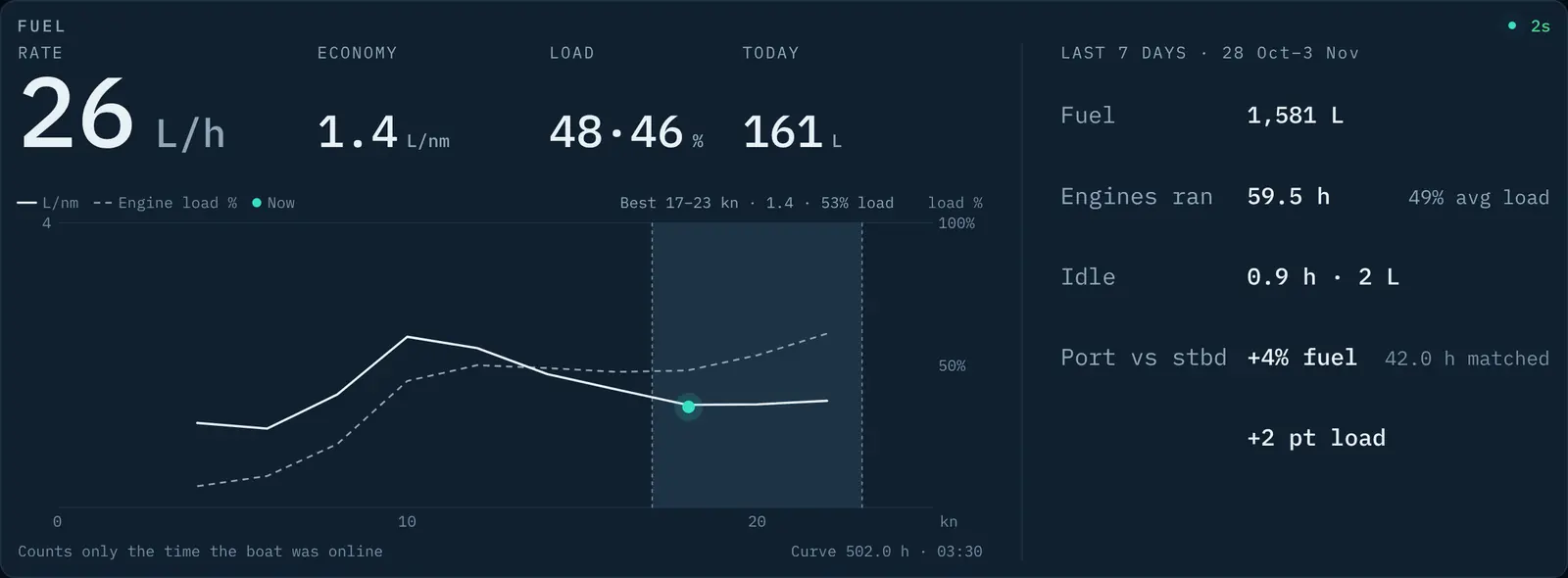
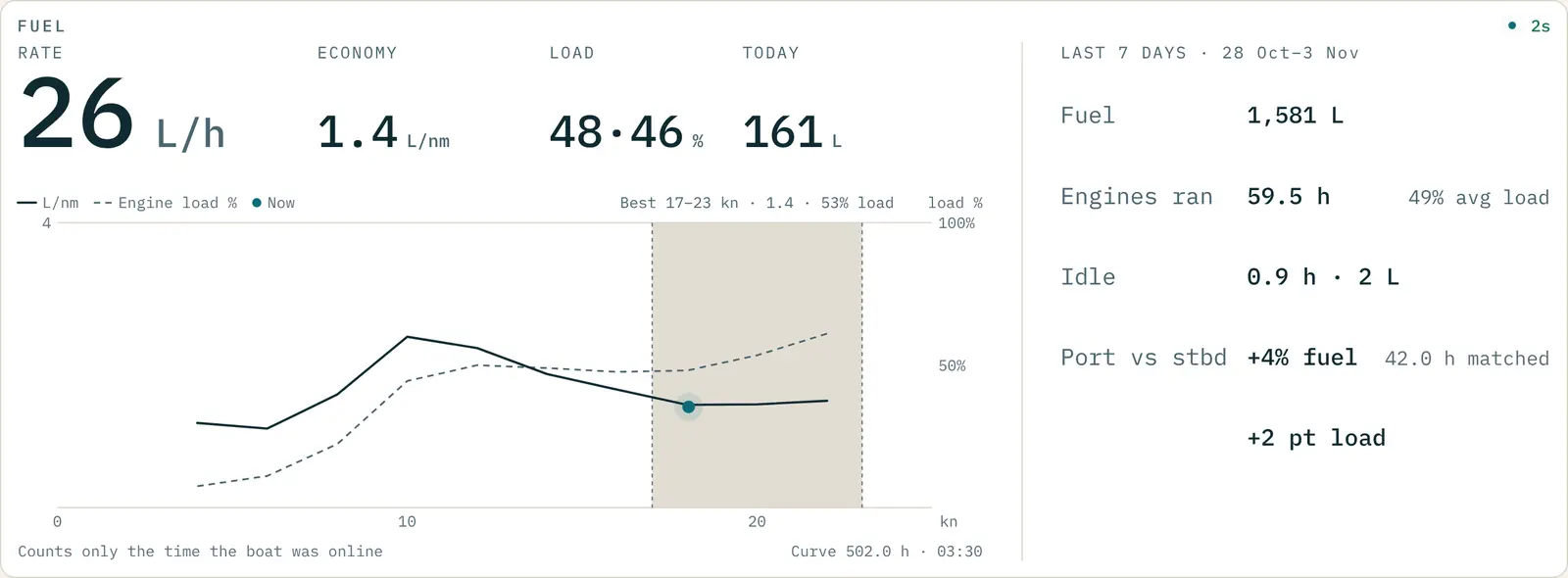
The Fuel tile answers that live, on board. The crew sees whether they’re at the boat’s most economical speed while they can still do something about it.
What she’s burning now
Litres per hour and litres per nautical mile as you go, and the litres used so far today.
A fuel curve she’s proven
SeaTrack learns fuel against speed from your boat’s own trips, then checks itself every night against her newest ones. The curve shows once it can predict them. Accuracy that you can trust.
What each trip saved
After a trip: the litres and minutes against her usual speeds, for example “−38 L, +4 min”. Over a week, a saving is shown only when it’s bigger than her normal day-to-day variation.
What idling costs
The week at a glance: the fuel used, the hours the engines ran, and the time spent idling with the litres it burned.
Motion
See how hard she’s pitching and rolling.
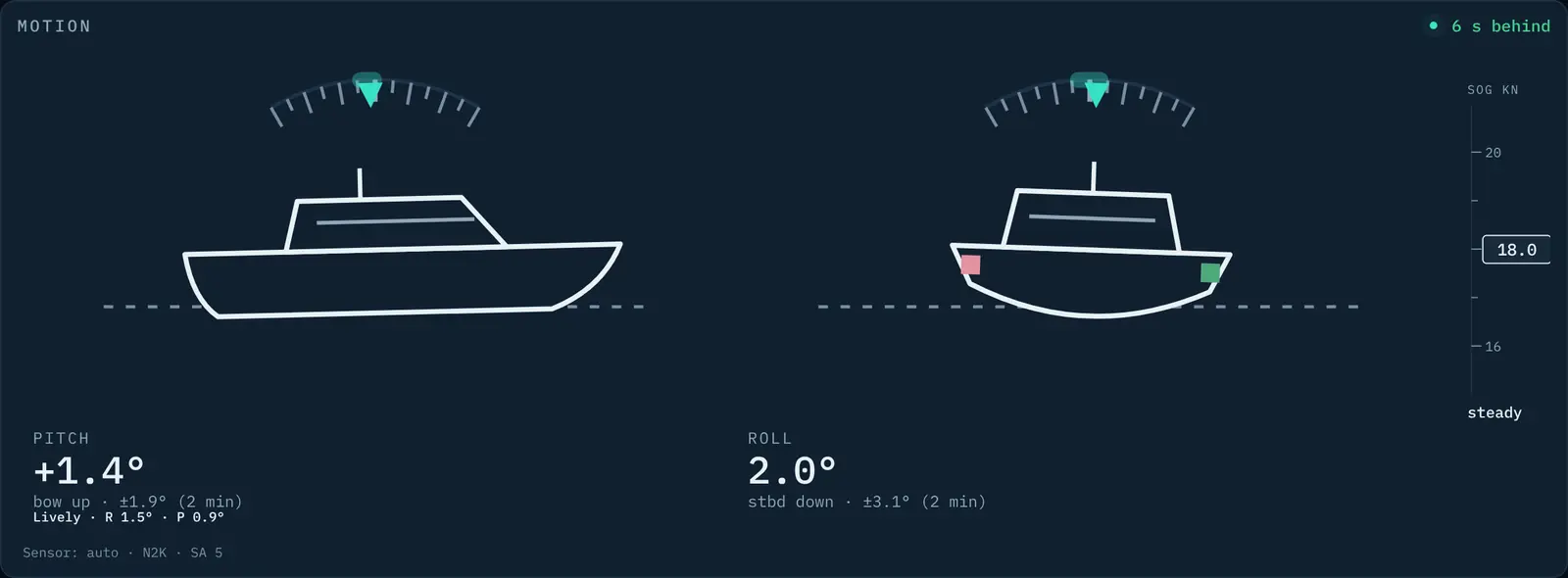
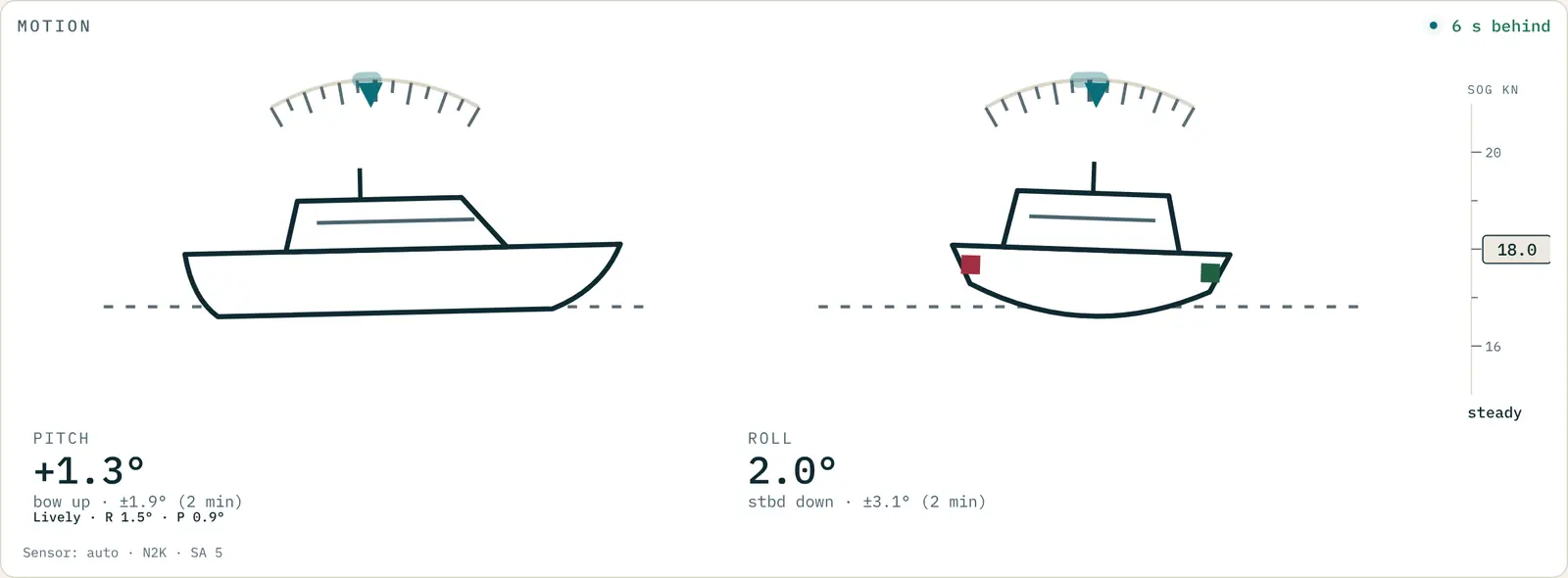
The Motion tile shows it live, so the skipper can ease off for the crew and passengers.
Pitch and roll, live
The boat on the tile pitches and rolls as she does, drawn from her motion sensor’s readings, several times a second on Skipper and Fleet.
The 2-minute swing
How far she’s pitching and rolling either way over the last two minutes, not just on the last wave.
Replay any past day
Go back to a past day and watch how she moved through it. Replay covers any past day on Skipper and Fleet, and the last 7 days on Recreational.
Comfort, in a word
Smooth, Lively, Rough or Very rough, read from her motion, so the skipper can ease off for crew and passengers before anyone has to ask.
For fleets
Every boat, her own numbers.
Each vessel learns its own fuel curve, so every skipper sees their own boat’s most economical speed. The office sees the same tiles for every hull in the fleet, plus a weekly email for each boat: fuel used, what was saved, and whether a change on board, such as a repower or a fouled hull, has moved her fuel use.
What your boat needs
What you see depends on the boat’s own instruments.
SeaTrack reads them over NMEA 2000. Fuel needs your engines’ fuel data, and Motion needs a motion sensor on board. Not sure what yours sends? Ask us.
On every plan
Fuel and Motion come with every plan.
On Skipper and Fleet, data is updated every 5 seconds and Motion arrives several times a second. On Recreational, Fuel and Motion come at a minute’s detail. The proven fuel curve, trip savings, the weekly fuel email and the comfort read come with Skipper, Fleet and Enterprise.